Liminal3D
A web-based editor for creating 3D perspective shots of apps.
Overview
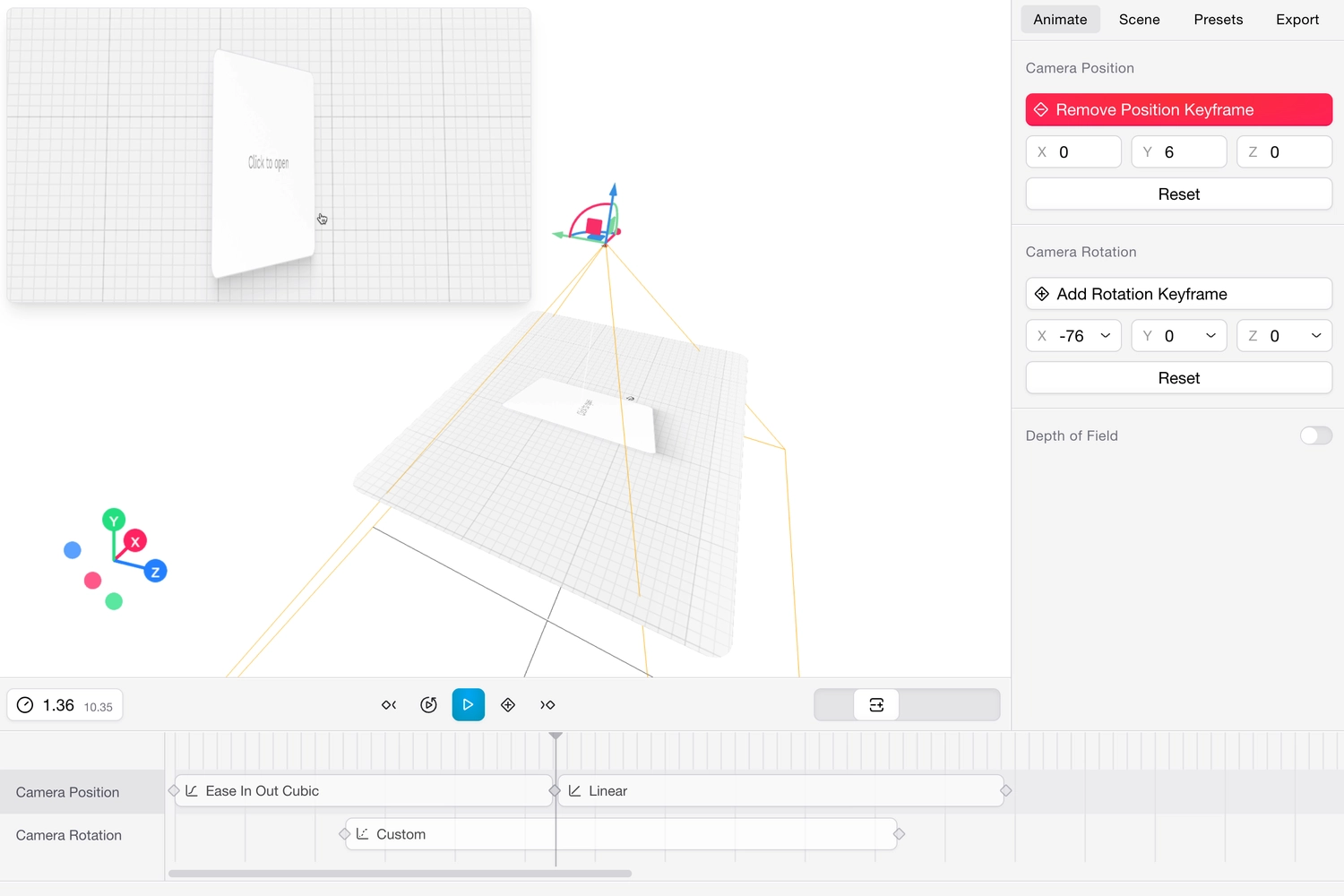
Liminal3D is a web-based editor that lets developers create 3D perspective shots of their applications for promotional content and feature-release videos. Users can upload a screen recording, position a virtual camera in a 3D environment, configure easing, and sync playback with keyframes, all in the browser.
The Problem
Product demos and release videos are typically created in traditional video editing software or motion design tools. These workflows are often cumbersome for developers who want to quickly produce polished promotional content. The result is either time-consuming manual editing or lackluster flat-screen recordings that fail to capture attention.
Additionally, most 3D scene-building tools are heavyweight desktop applications with steep learning curves, making them inaccessible for quick, iterative projects.
The Solution
Liminal3D is an editor solely focused on creating high-quality 3D perspective videos for screen recordings that would otherwise be flat and boring. The application runs entirely in the browser with an intuitive editor built around three core capabilities:
- Upload a screen recording of your app and use it as a texture in a 3D scene.
- Position a virtual camera in 3D space with configurable easing settings for smooth, cinematic motion.
- Sync playback with keyframes to control exactly when and how the recording plays within the scene.
Development Process
Export pipeline
Building a video-processing application in the browser came with unique challenges, especially around exporting.
Initially, I captured every frame of the preview canvas and encoded it with FFmpeg.wasm, which was straightforward but resulted in long export times and large file sizes.
After researching encoding options, I realized the bottleneck was FFmpeg.wasm’s software encoding and its in-memory filesystem I/O. I switched to using the WebCodecs API to capture frames as encoded chunks via hardware acceleration, then used FFmpeg.wasm to mux the chunks into a final video file. This significantly reduced export times and file sizes, but it still wasn’t ideal for larger videos or higher resolutions.
Around the same time, OpenCut (an open-source CapCut alternative) was gaining traction and people were sharing a lot about web-based video exporting. That’s when I learned about Mediabunny, a WebAssembly-based video encoder that runs natively in the browser. I used OpenCode to migrate the pipeline and it reduced export times dramatically.
React three fiber and the keyframing system
A key area of focus was the keyframing system. I wanted the interaction to feel as fluid as professional tools, so I invested time in building a responsive timeline where easing curves translate directly into camera motion. Optimizations to marker dragging, live preview rendering, and fixes for timeline scrubber stuttering greatly enhanced this experience. The react-three-fiber (r3fiber) layer made it possible to preview camera paths in real-time, giving immediate visual feedback on every adjustment. I also later added target position keyframing, giving creators finer control over camera focus during complex movements.
I also designed it so that a little preview popup gets displayed when dragging keyframe markers, showing a live preview of the uploaded video at that point in the timeline. This was a crucial feature for providing immediate visual feedback and making the keyframing process more intuitive.
I also used react-scan to reduce the number of re-renders in the timeline, which was crucial for maintaining a smooth user experience as the number of keyframes increased. This optimization allowed for a more responsive interface, even when working with complex scenes and multiple keyframes.
Post-processing effects
As I fleshed out the keyframing system, I wanted to also add post-processing effects to the preview video. Originally, I was using glscissors to render both the editor and preview in a single canvas, but the application later migrated to separate canvases. This architectural shift was driven by the need to apply advanced post-processing effects exclusively to the preview. A resizable floating preview component was introduced, giving users more flexibility in adjusting aspect ratios and monitoring their shots.
With the separate canvas in place, I expanded the visual toolset significantly. I integrated a robust suite of post-processing effects, including Depth of Field, Bloom, Chromatic Aberration, Tone Controls, and a Fish Eye lens effect using AI coding agents. Additionally, setting the video texture color space to sRGB ensured accurate color representation, while an optional customizable glass material over the video added an extra layer of visual polish.
Design
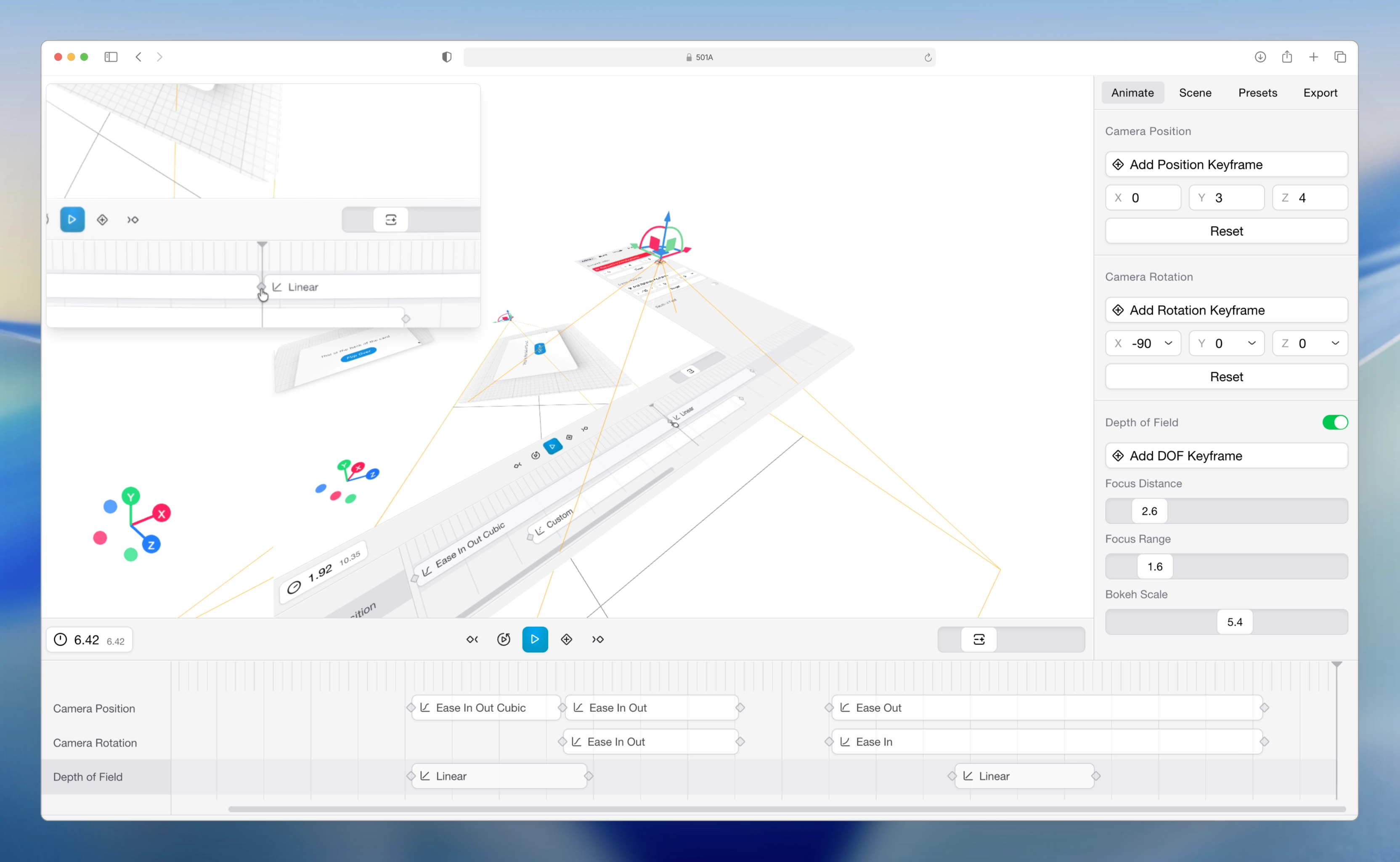
I wanted to design the editor to feel clicky and tactile, with a focus on making the keyframing experience as intuitive as possible. I drew inspiration from professional video editing software for the timeline design, but I also wanted to keep the overall aesthetic clean and modern.
The timeline on the bottom is used to manipulate the timing of the keyframes, but most of the interaction happens in the right panel. The right panel has a set of tabs:
- Animate — Keyframe controls for the camera’s position and rotation (or target position depending on the camera controller type).
- Scene — Static controls for video scale, corner radius, and post-processing effects — values that don’t interpolate between keyframes.
- Presets — Reserved for future use when users can save positions and values for repeated use.
- Export — Settings for video resolution, format, and quality.
Final Thoughts
Building this taught me how to build performant React applications and tackle the unique challenges of implementing video processing in the browser. I also personally felt the change and advancements in coding agents in 2025. I hacked it up quickly during my one-week spring break in 2025 and then spent the next few months iterating on it, adding features, and optimizing performance. Then around the end of that same year, I noticed the coding models experienced a significant improvement in their ability to write complex code and debug, which made it possible to add more advanced features and optimizations with the help of agents.